Made for the Mac. Zoom anywhere.
Pinch into any detail and glide around, as smooth as zooming a photo.
Free · No account · No data collected



Pinch the window to try it
Made for macOS
A native Mac app, not a port. Trackpad gestures, Mac menus and shortcuts, menu-bar controls, a Mini Player and multiple windows all work the way you expect, with Apple silicon hardware decoding that stays quiet and cool.

- ⌘ =Zoom in
- ⌘ −Zoom out
- ⌘ 0Fit
- , .Previous / next frame
- SpacePlay / pause
Zoom anywhere
Pinch anywhere in the picture, up to 10×, and it stays right under your fingers. Pan with two fingers, even while it plays. Option-drag a region to zoom straight to it.
The smoothness you know
Gestures follow your fingers, timeline previews follow your pointer, and volume and speed respond the moment you touch them. Frame stepping is just as crisp: one press, exactly one frame.






Try it: click the buttons, or press , and .
Plays almost anything
Common and uncommon formats open directly, subtitles included.
Containers
MP4MOVMKVWebMAVIFLVTSM2TSMPG
Codecs
H.264HEVCAV1ProResVP9MPEG‑2
Picture
4K 60HDR10HLG
Subtitles
SRTASSWebVTTembeddedbilingual
One toolbox, everything in it
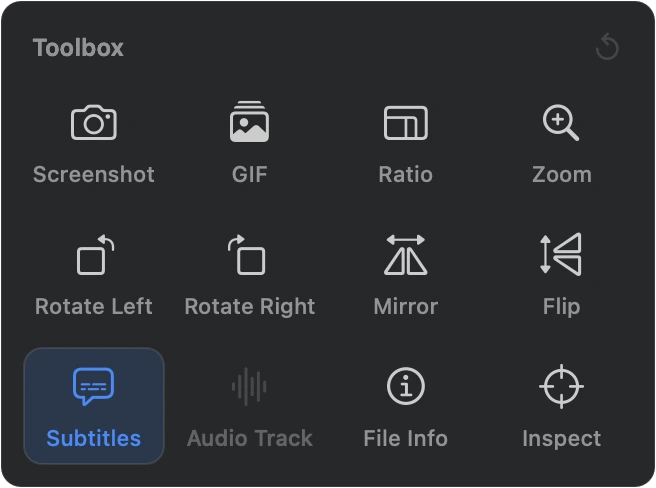
Screenshot, GIF export, aspect ratio, zoom, rotate, mirror, flip, subtitles, audio track, file info and inspection mode. In a narrow window, the buttons the bar can't fit show up here too.
Your videos never leave your Mac
No network access, no analytics, no ads, no sign-in. App Store privacy label: Data Not Collected. Privacy policy
Made for the Mac. Zoom anywhere.
Mac App Store · Coming soonFree · No account · No data collected
Requires a Mac with Apple silicon and macOS 14 or later.